
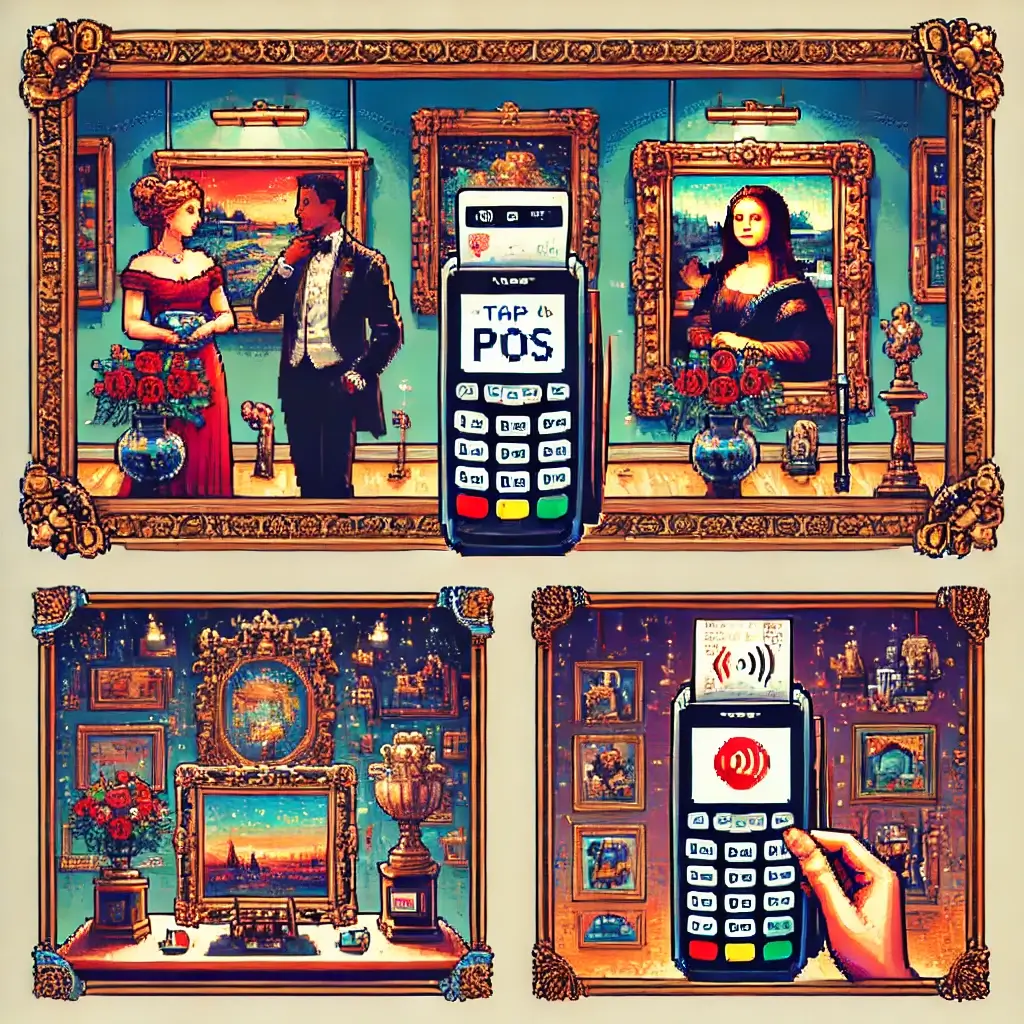
Best POS Systems for Art Galleries & Pop-Up Exhibits: 17 Brave Picks That Won’t Ruin Opening Night
Table of Contents
Best POS Systems for Art Galleries & Pop-Up Exhibits: The Cold Open Nobody Warned You About
I’m going to say the quiet thing out loud.
Opening night is mostly vibes, and the vibes collapse instantly if your POS freezes while a collector waves an Amex in front of your face like a tiny, impatient flag.
We prepared the cheese board, we aligned the lights, we printed name cards so lovely they could hang on the wall themselves, and then—doom by Bluetooth.
Not tonight.
This guide is the coffee-stained, sleeves-rolled-up playbook I share with galleries, artist-run spaces, and pop-up crews who want sales that feel like art, not accounting.
We’ll talk hardware that fits in a pocket, inventory that speaks fluent “editions,” deposits that don’t give your bookkeeper hives, and receipts so handsome collectors actually save them in their inbox like little certificates of joy.
Beginner, intermediate, expert—we’re layering it all like a Venetian glaze that quietly glows even under moody track lights.
And yes, I’ll tell you which POS systems I’d bring to a three-day pop-up inside a windy warehouse with spotty Wi-Fi and twenty artists who all swear their work is “standard size, promise.”
Best POS Systems for Art Galleries & Pop-Up Exhibits: Beginner Map (No Jargon, Pinky Swear)
If you’re new, think of a POS as a polite bouncer plus an eager librarian plus a humble accountant.
The bouncer checks the card and lets in good payments fast.
The librarian tracks which piece sold, which edition number, which size, which frame, and who took it home.
The accountant makes sure taxes, payouts, and reports aren’t a horror movie that eats your Sunday.
Beginner checklist time, no embarrassment allowed.
One, does it take tap-to-pay on a phone or a tiny reader so you don’t need a full register that looks like it came from a grocery store in 1994.
Two, can you sell offline if the Wi-Fi is moody like a cat in a thunderstorm.
Three, can you type “Print, Edition 3/10, unframed, 18×24” without the system panicking or forcing you to fight dropdown menus that were obviously designed for socks.
Four, can you split payments, take a deposit, or send an invoice later when someone says “My partner needs to see it” which is the international anthem of delayed joy.
Five, does it make lovely receipts—email, text, or paper—with a QR to the artist page, because provenance is not just a fancy word, it’s future value with polka dots.
Six, can you set tax rules cleanly for your location and for shipping, because tax stress steals brain cells you could use on curation.
Seven, can staff learn it in fifteen minutes so no one cries in the storage room behind the extra plinths.
Best POS Systems for Art Galleries & Pop-Up Exhibits: Hardware You Can Carry Without a Backpack
Hardware has gotten fun and small and not ugly.
You can swipe, dip, or tap on something that looks like a polite smartphone and weighs less than a sketchbook.
Look for a handheld with a bright screen, a long battery, and a decent printer or at least fast email receipts so you don’t run out of paper right when a collector wants a physical slip “for the family office.”
Consider an iPhone or Android running your POS app with a Bluetooth reader, because pockets exist for a reason and some nights you will literally chase a buyer toward the door in the best possible way.
If you’re doing multi-station checkouts across rooms, a small countertop terminal at the front desk plus a roving handheld turns the line into a dance instead of a snake.
Pro tip, tape your Wi-Fi network and password discreetly inside the plinth or under the desk, and bring a battery bank bigger than your optimism.
Another pro tip, test the reader standing under the biggest metal beam in the space, then again next to the wine bucket, and once by the entrance where everyone leans on the frame that mysteriously eats Bluetooth signals.
Best POS Systems for Art Galleries & Pop-Up Exhibits: Art-Specific Payment Flows (Deposits, Consignment, Editions)
Art isn’t a latte, which is not a moral judgment, it’s just math and romance.
You’ll need to accept deposits that convert later, mark items as “on hold,” and sometimes split payments across two cards without the air going out of the room.
If you sell editions, the POS must respect numbering so that 2/10 isn’t sold twice when everyone rushes after the same print at 7:43 p.m.
For consignment, you want a clean record for artist split calculations, and ideally a report that doesn’t look like a spreadsheet cried.
If you sell sculpture or mixed media with options like “with pedestal” or “without shipping crate,” you should be able to add modifiers on the fly without re-adding the product like you’re playing inventory Jenga.
And if you sell commissions, look for draft invoices, deposit links, and the ability to attach notes, reference images, and promised timelines that keep everyone’s expectations aligned and breathing.
Best POS Systems for Art Galleries & Pop-Up Exhibits: Field-Tested Reviews and Use Cases
I keep a sloppy notebook that smells like acrylic and espresso, and in it are the systems I reach for depending on the show’s personality.
Maybe I’m wrong, but experience is a persuasive little gremlin, so here goes.
Square: The “Let’s Open the Doors in 15 Minutes” Champion
Square’s core superpower is the “be selling by sundown” vibe with a short learning curve and friendly hardware.
You can start quickly, add a tiny reader, and upgrade to retail features when your pop-up stops popping and simply becomes your life.
Inventory names are flexible enough to hold edition numbers, frame options, and sizes, especially if you use variants thoughtfully.
Invoicing for deposits works cleanly, and you can keep the relationship alive with simple email receipts and links to pay later if a collector needs to confirm wall measurements or consult their “committee of aesthetic advisors,” otherwise known as the group chat.
Pros include fast setup, reasonable fees, and generous integrations with shipping and email marketing tools that are actually used by real galleries that don’t have a full IT department.
Cons are mostly about the depth of consignment math and the care you need to take with edition locking, but you can build repeatable workflows that keep chaos at arm’s length.
POS Systems for Art Galleries & Pop-Ups — Quick Comparison
Square
✔ Easiest setup
✔ Mobile-first hardware
✖ Limited consignment depth
Shopify POS
✔ Online + in-person sync
✔ Tap-to-pay on iPhone
✖ Needs Shopify store
Lightspeed
✔ Consignment tools
✔ Multi-location support
✖ Higher cost
Art Gallery Payment Workflow
Must-Have Features for Pop-Up POS
Mobile Hardware
Pocket-size reader, long battery life
Offline Mode
Process sales even with weak Wi-Fi
Consignment Tools
Artist splits, edition tracking
Seamless Receipts
Email, QR codes, certificate links
Shopify POS: The Gallery That Lives Online and Comes Alive In-Person
If your website is a beautiful sales engine and you only set up physical shows occasionally, Shopify POS is like giving that engine wheels and a passport.
Tap-to-pay on phones means you can greet a collector next to the piece, close the sale on your device, and email a receipt that links straight to a product page with artist bios and care instructions.
Inventory flows between online and in-person beautifully if you keep SKUs tidy, which is the eternal battle but truly worth it when the same edition sells online at 3 p.m. and in person at 7 p.m. without a meltdown.
For pop-ups, the included POS tier is surprisingly capable, while the pro tier unlocks multi-location, staff permissions, and nitpicky inventory controls that make your registrar smile at least once per season.
If your gallery does drops, timed releases, or preorders, the online-first architecture pays dividends, and you can layer apps for packing slips, certificates of authenticity, and shipping labels without retyping the buyer’s address a thousand times.
Lightspeed: The Consignment-Savvy, Edition-Friendly Adult in the Room
When a director says, “Please make the consignor payout report civilized,” I often steer them toward Lightspeed.
The platform’s retail DNA brings deep inventory, vendor tracking, and consignment workflows that keep artist splits fair and documented in a way you can defend to a very organized accountant.
It can be an investment, but time saved after a three-month show can be the difference between a celebratory ramen and falling asleep on your keyboard somewhere around SKU number ninety-seven.
Lightspeed also shines in multi-store or multi-space scenarios, so if you run a main gallery, a project space, and a seasonal pop-up, you won’t be duct-taping data every Sunday night.
Stripe Terminal + Custom App: The Build-It-Yourself Dream for Tech-Forward Galleries
If you can wrangle a developer or you are one, Stripe Terminal is basically a gorgeous box of Lego for payments.
You bring your own POS app or choose a partner app, you connect the reader, and you sculpt the checkout flow to fit deposits, editions, and even elaborate shipping logic that would make a freight broker nod appreciatively.
The upside is control, brand-matched receipts, and delightful little touches like embedded certificate numbers on the invoice PDF.
The downside is, well, you have to build it and then keep building it, which some nights sounds like heaven and some nights sounds like a second job with fewer snacks.
Honorable Mentions: Clover, Toast (for Art Fairs With Food), and PayPal Zettle
Clover is sturdy and friendly and often available through local merchant providers, which sometimes lowers your fees if you are charming and unafraid to negotiate.
Toast is obviously for restaurants, but at art fairs with hospitality components, we’ve run art sales through Toast registers with custom menu items and a few giggles, and you know what, it worked in a pinch.
PayPal Zettle is a neat option for creators already deep inside the PayPal ecosystem, especially if you love the simplicity of sending invoices from your phone and watching the blue logo do its thing.
Best POS Systems for Art Galleries & Pop-Up Exhibits: Visual Decision Matrix (Infographic)
Sometimes words argue while pictures agree, so here’s a simple HTML infographic to help your team pick a lane without a three-hour meeting that ends in croissants and confusion.
Speed & Ease
Online + IRL
Consignment Depth
Customization
Best POS Systems for Art Galleries & Pop-Up Exhibits: One-Hour Setup Checklist
I believe in the one-hour rule, which is that an hour of ruthless preparation saves three hours of panicked improvisation later.
Here’s the checklist I tape inside the storage cabinet next to the bubble wrap and the tape gun that goes missing every six minutes.
Create or import products with artist name, title, year, medium, size, edition number if relevant, and price including tax logic or tax lines depending on your jurisdiction.
Photograph each work with the camera you actually own and upload a web-friendly image, because a thumbnail next to the product during checkout prevents wildly expensive mix-ups that end in red cheeks.
Configure variants for framed versus unframed, small versus large, and print paper choices if you must, but keep it lean so staff can pick the right one without a scavenger hunt.
Set up tax rules, test a few dummy transactions, and confirm the receipts show the gallery name, address, return policy, and a cheerful thank you that looks like you meant it.
Add a custom field for “Provenance note or certificate number” so you can record what matters beyond the price and avoid the 2 a.m. email spelunking expedition later.
Create quick buttons for popular items if your POS supports a grid, and color code by artist or category so your brain can relax while your hands move fast.
Give staff a two-minute training on tap, chip, swipe, refund, and hold, and then let them practice on each other like it’s a tiny checkout rehearsal with laughter allowed.
Place a tasteful QR at the front desk for “Pay later” invoices for collectors who want shipping quotes or framing first, because yes, that’s a real buyer sometimes and not just a mirage.
And now, a quick breather before the next section, because even guides deserve a moment to sip water while the page earns its keep.
Thank you for supporting independent writers and independent artists, in that order and also simultaneously.
Best POS Systems for Art Galleries & Pop-Up Exhibits: Fees Without Tears
Fees are the tiny leaks that only become a flood when you ignore them, so we’re going to face them like adults who occasionally cry in happy museums.
Card-present rates are usually lower than keyed or invoice rates, which means tapping a card in front of you is cheaper than typing sixteen numbers from an email after midnight.
International cards can add a small surcharge, which is just the cost of romance across borders, and sometimes American Express has its own vibe, which is fine because collectors love points like cats love boxes.
Hardware can be a one-time cost, subscription tiers can unlock inventory depth, and occasional add-ons like advanced reports or staff roles might feel like upsells until you’re doing payroll and whispering thank you to the report that balanced on the first try.
My advice is to estimate processing at a healthy average, add your subscription, add a sliver for chargebacks you probably won’t get, and then set prices that honor the artist while respecting your rent, your shipping, and your absolute right to not starve.
Please, please, please do not set prices that make you resent your own openings, because resentment is the worst wall label.
Best POS Systems for Art Galleries & Pop-Up Exhibits: Operational Tactics for Smooth Openings
Openings run on choreography, not luck, which is why I tape arrows on the floor with a flourish that would impress a stage manager.
Place a main checkout near the exit, a roving device near the busiest wall, and a small “quiet table” for invoicing and shipping arrangements that deserve privacy and fewer elbows.
Have a staffer assigned to gift-wrapping or safe packing, because speed is beautiful until something fragile meets a corner and the whole night sighs sadly.
Print tiny SKU labels and stick them discretely on the back of hanging tags so staff can scan or search without guessing the difference between “Untitled (Blue)” and “Untitled (Lapis),” which matters, I promise.
Assign one person to manage holds and red dots, because no sight on earth is more satisfying than a tidy red sticker blooming on the wall, and no sight is scarier than two dots next to the same piece because someone blinked.
Keep a simple “sold but stay through closing” policy written on the receipt or emailed to the buyer, so expectations are aligned and no one tries to walk out with the star of the show at 7:31 p.m.
For pop-ups in unusual venues, test the POS with the venue lights at full blast and again with the moody dimmer because some terminals get shy in the dark like they’re auditioning for a noir film.
Best POS Systems for Art Galleries & Pop-Up Exhibits: Advanced & Expert-Level Moves
Okay, experts, come closer and bring your spreadsheets and your slightly judgmental eyebrows, because we’re going to talk data structure and margins and the tiny levers that move real money.
Normalize your product naming convention so reports line up like clean rows of chairs instead of a kindergarten picnic.
Use a pattern like “Artist Last, First — Title, Year — Medium — Size — Edition 3/10,” which keeps search usable and exports glorious.
Adopt consistent SKUs that encode artist initials, year, and category, because the day you run your first serious cohort report on artist performance is the day you stop guessing who anchors your program.
Segment customers with tags like “Collector-New,” “Collector-Returning,” “Designer,” and “Institution,” and then send follow-ups with humility and clarity and only a sprinkle of glitter.
Create saved carts for people who need to think quietly and come back after dinner, and create draft invoices for the “I adore it but we live in another city” folks who are real and generous and deserve your kind efficiency.
If you have multiple spaces, consider a location allocation plan that reserves two editions for the main gallery and one for the project room so your team does not fight softly via Slack while guests admire the snacks.
Run margin analysis including framing and freight, because sometimes the frame is a sovereign nation with its own GDP and your profit lives or dies on the border tax.
Finally, measure the boring things like checkout duration and refund time because they are actually not boring when you draw them on a chart shaped like a smile improving through the season.
Best POS Systems for Art Galleries & Pop-Up Exhibits: Security, PCI, and Trust
Trust is the real currency in a gallery, even more than the black card that gleams under the track lights like a tiny spaceship.
Use POS systems that handle encryption out of the box, store no raw card data on your devices, and deliver PCI compliance as a service you can lean on rather than an exam you cram for at 2 a.m.
Turn on staff permissions that keep refunds and discounts to trusted roles so your night doesn’t turn into a folk tale about a mystery button that gave away the entire inventory for free.
Enable two-factor authentication so your login is less guessable than your favorite artist, though I know that reference is a sacred secret.
Back up your product list and customer list weekly, anonymize what you don’t need, and write a tiny incident plan that says who to call if a device is lost or a password escapes like an energetic puppy.
Place a subtle sign that says “We never store your card number,” because transparency buys patience when the line slows for five seconds, and patience is the nicest flower on opening night.
Pre-Opening POS Checklist
Need a Quick Decision?
Click below and let the button pick a POS system for you (just for fun!)
FAQ
What’s the simplest POS for a first pop-up with fewer than fifty works.
Square or Shopify POS will get you selling by sundown with low drama and enough inventory structure to keep editions straight if you use variants.
Pick the one that matches your existing website or your comfort with the interface after a fifteen-minute test drive.
How do I handle deposits for a work that needs framing or shipping before final payment.
Create a product called “Deposit for Artist Title” and collect a fixed or percentage amount at checkout or via invoice link.
Then convert the deposit into a final invoice with a clear note that references the work, edition, and delivery timeline, so the buyer never wonders where their gorgeous object is hiding.
Can I sell offline if the venue Wi-Fi is flaky and everyone’s phone is fighting for it.
Yes, most modern POS systems offer some form of offline mode for card-present transactions that sync later, but test it before doors open and make a small sign that says “Please tap,” because tap tends to be most reliable in noisy radio environments.
What’s the cleanest way to track editions so I don’t accidentally sell 2/10 twice.
Use variants or unique SKUs for each edition number and mark them as sold individually.
If you’re fancy, create a small checklist card next to the POS where staff tick off edition numbers aloud like a ritual that invites good spirits and prevents human error.
How do I configure tax for traveling pop-ups across different cities.
Set up locations in your POS and let the system calculate local rates, then test a few mock items at each location so your totals feel trustworthy.
Keep a laminated card with the local tax rate and any special rules like cultural exemptions or shipping tax quirks so you’re never guessing in front of a buyer who knows numbers very well.
Is a receipt enough for provenance or should I include a certificate.
A detailed receipt is a great start, but for fine art, a certificate of authenticity that includes artist name, title, year, medium, dimensions, edition number, and a signature is a beautiful practice that elevates trust instantly.
Many galleries attach a PDF certificate to the receipt email with a short note on handling and framing so the work’s story begins gracefully.
What if someone wants to pay with two cards or card plus bank transfer.
Split payments are common and your POS should allow them without turning checkout into a puzzle game with a timer.
For bank transfers, issue an invoice and mark it paid once cleared, and place a hold on the work in the inventory so it doesn’t wander off to another home by accident.
Best POS Systems for Art Galleries & Pop-Up Exhibits: External Resources (Big, Colorful, Clickable Buttons)
Here are three trustworthy, English-language resources that help you go deeper while keeping your night gloriously calm.
🔗 Square POS — Fast Setup for Pop-Ups
🔗 Shopify POS — When Your Store Lives Online
🔗 Lightspeed Retail — Consignment & Multi-Location Depth
Best POS Systems for Art Galleries & Pop-Up Exhibits: Conclusion
I’ve stood at a front desk while a jazz trio heated the air and collectors hovered at the threshold like butterflies that could buy things, and I’ve felt the sting of a card reader deciding to perform allegorical theater instead of processing payments.
We deserve better, and by “we” I mean you, with your careful curation and your stubborn love for objects that ask questions out loud.
The best POS systems for art galleries and pop-ups are not mystery boxes or miracles, they are simple tools that respect art’s weird needs and your very human desire to sleep on Sunday.
Pick a lane that fits your reality, set it up in an hour, rehearse with your team, tape the Wi-Fi under the plinth, bring a battery the size of a sandwich, and move through the night like a whisper with receipts.
Buyers will remember the pace, the kindness, and the feeling that the sale was part of the art experience, not a separate errand with a beep.
So go ahead and choose your champion, and if your heart rate rises as doors open, that’s not fear, it’s focus, and you’ve earned it.
I want your red dots to multiply like confetti and your payout to land before your flowers wilt, and if that sounds slightly too optimistic, good, because optimism is the final brushstroke.
Now take a breath, tidy your grid, and let the night become a story you will tell with a grin that gets you invited to every dinner afterward.
Best POS Systems for Art Galleries & Pop-Up Exhibits: Keywords
Best POS systems for art galleries, pop-up exhibit POS, art gallery payment processing, consignment POS software, tap to pay for galleries
🔗 Gallery Insurance Cost Posted 2025-08-27 02:30 UTC 🔗 Decoding Art Therapy Billing Codes Posted 2025-08-26 02:25 UTC 🔗 Fine Art Shipping Insurance 2025 Posted 2025-08-25 04:18 UTC 🔗 Fine Art Shipping Insurance Posted 2025-08-25 04:01 UTC 🔗 Shade Tolerant Container Plants Posted —