
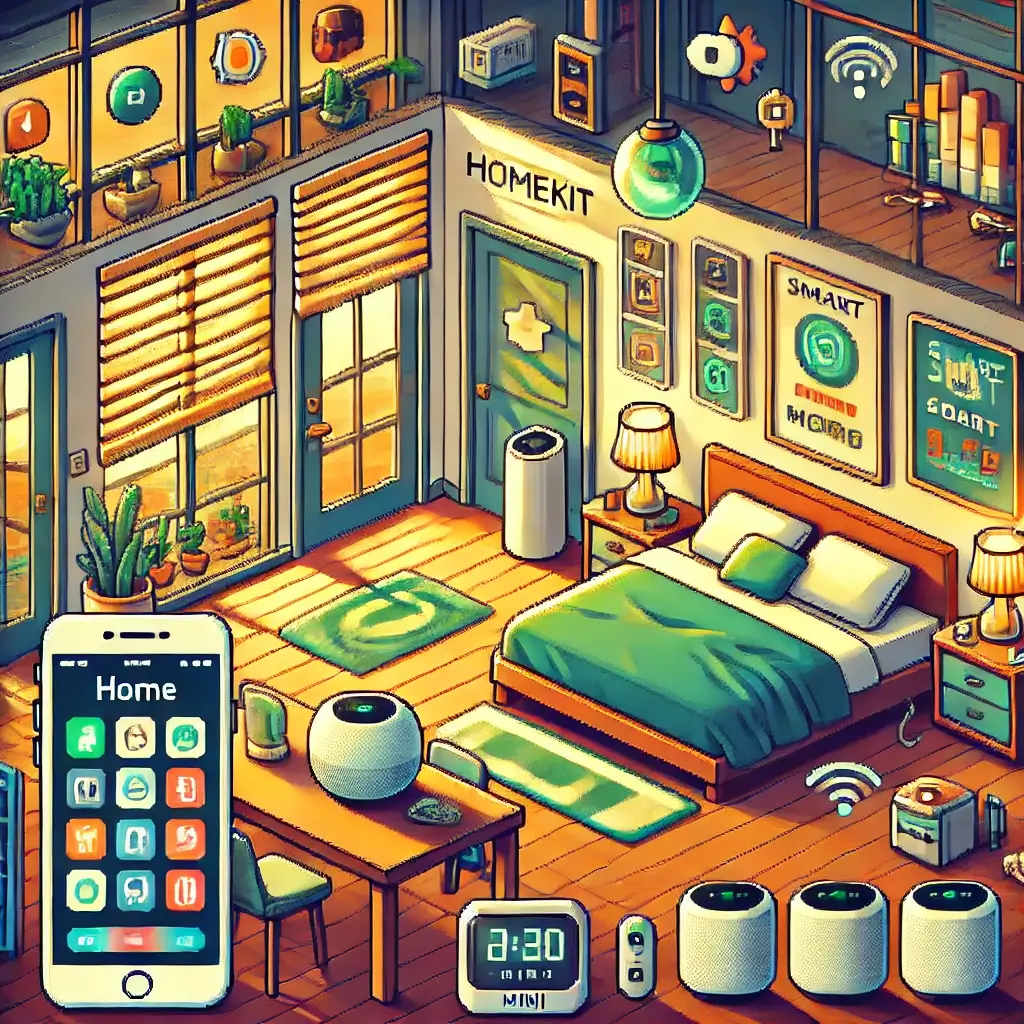
Transform Your Home: 5 Game-Changing HomeKit Integrations You Need in 2025!
Hey there, fellow tech enthusiasts and aspiring smart home gurus!
Are you tired of juggling multiple apps to control your lights, thermostat, and security system?
Do you dream of a home that truly understands your needs, anticipating your every move?
If you’re nodding your head, then you’re in for a treat because today, we’re diving deep into the magical world of smart home integration, specifically focusing on Apple’s HomeKit.
And let me tell you, it’s not just a trend; it’s a revolution that’s already here, transforming houses into intuitive havens.
Forget those clunky, disconnected setups of yesteryear.
In 2025, smart homes are all about seamless harmony, and no one does it quite like Apple with its robust HomeKit ecosystem.
As someone who’s spent countless hours tinkering with various smart devices (and, let’s be honest, getting frustrated more times than I’d like to admit), I can confidently say that HomeKit stands out for its simplicity, security, and sheer elegance.
It’s like having a personal assistant for your entire living space, all accessible from the device you already carry everywhere: your iPhone.
So, buckle up!
We’re about to explore how to unlock the full potential of your smart abode, making it more efficient, secure, and downright delightful.
And yes, we’ll even sprinkle in some real-world anecdotes and tips from someone who lives and breathes this stuff.
Ready to make your home smarter than ever?
Let’s get started!
Table of Contents
What Exactly is Apple HomeKit, Anyway?
Think of Apple HomeKit as the universal translator for all your smart home devices.
In a world brimming with countless brands and technologies, HomeKit provides a unified framework that allows different smart gadgets to “talk” to each other seamlessly and securely.
It’s not a physical product you buy off the shelf; rather, it’s a technology standard built into Apple’s operating systems (iOS, iPadOS, macOS, watchOS, tvOS).
For a device to be HomeKit-compatible, it must pass Apple’s rigorous certification process, which ensures it meets strict standards for security, reliability, and ease of use.
This certification is a huge win for you, the consumer, because it means you can trust that any product bearing the “Works with Apple Home” badge will integrate smoothly into your ecosystem.
Before HomeKit, setting up a smart home often felt like assembling a Frankenstein’s monster of incompatible parts.
You’d have one app for your lights, another for your thermostat, and yet another for your security camera.
It was a headache!
HomeKit brings all of that under one roof, specifically the Home app on your iPhone or iPad.
With HomeKit, you can control everything from a single interface, create powerful automations, and even use Siri to command your home with just your voice.
Imagine saying, “Hey Siri, good morning,” and having your lights gradually brighten, the thermostat adjust to your preferred temperature, and your coffee maker start brewing.
That’s the magic of HomeKit, making your daily routines effortless and enjoyable.
Why HomeKit Stands Out in a Crowded Smart Home Market
So, you might be thinking, “There are so many smart home platforms out there – Google Home, Amazon Alexa, SmartThings… what makes HomeKit so special?”
Great question!
From my experience, HomeKit truly distinguishes itself in a few key areas.
First and foremost is **security and privacy**.
In an age where data breaches are unfortunately common, Apple has made privacy a cornerstone of HomeKit.
All communication between your Apple devices and HomeKit accessories is end-to-end encrypted.
This means your data remains private and secure, far away from prying eyes.
Unlike some other platforms that rely heavily on cloud processing, HomeKit aims to do as much local processing as possible, further enhancing your privacy.
It’s a huge comfort knowing that your smart home data isn’t being used for targeted ads or other less-than-transparent purposes.
Secondly, it’s the **seamless integration with the Apple ecosystem**.
If you’re already an iPhone, iPad, or Apple Watch user, HomeKit feels incredibly natural and intuitive.
The Home app is beautifully designed and easy to navigate.
Siri integration is top-notch, allowing for hands-free control that just works.
And with features like Adaptive Lighting (which automatically adjusts the color temperature of your lights throughout the day), it’s clear Apple is thinking about the user experience in a holistic way.
Thirdly, and this is a big one for me, is **reliability and stability**.
Because HomeKit devices must meet Apple’s stringent certification standards, you generally find that they are more reliable and have fewer connectivity issues compared to some non-certified devices on other platforms.
I can’t tell you how many times I’ve heard friends complain about their smart lights randomly disconnecting or their voice assistant not understanding commands on other systems.
With HomeKit, these issues are significantly minimized, leading to a much more frustration-free experience.
Lastly, let’s talk about **Matter**.
This new industry standard is a game-changer for smart homes, aiming to create even greater interoperability between devices from different brands and ecosystems.
Apple has been a strong proponent of Matter, integrating it deeply into HomeKit.
This means that as more Matter-certified devices hit the market, your HomeKit system will become even more versatile and powerful, expanding your choices exponentially.
Getting Started: Your First Steps to a Smarter Home with HomeKit
Alright, so you’re convinced!
You’re ready to dip your toes into the HomeKit pool.
But where do you even begin?
Don’t worry, it’s much simpler than you might think.
Here’s a quick rundown of what you need and how to get going:
1. An Apple Device: Your Command Center
First things first, you’ll need an Apple device running a recent version of iOS, iPadOS, or macOS.
Your iPhone is usually the primary way you’ll set up and manage your HomeKit accessories.
Make sure it’s updated to the latest software for the best performance and access to all the newest features.
2. A Home Hub: The Brains of the Operation
While you can control some HomeKit devices directly with your iPhone when you’re home, to truly unlock the power of HomeKit – things like remote access, automations, and shared control – you’ll need a **Home Hub**.
This is a device that stays in your home 24/7, acting as a central communication point for all your HomeKit accessories.
Currently, eligible Home Hubs include:
- Apple TV (4th generation or later): This is a fantastic option, especially if you already have one for entertainment.
- HomePod or HomePod mini: These smart speakers double as excellent Home Hubs, offering superb sound and deep Siri integration.
- iPad (left at home and connected to power): While technically possible, it’s not the most reliable or energy-efficient option for a permanent hub. I’d highly recommend a HomePod mini or Apple TV instead.
Setting up a Home Hub is usually as simple as signing into iCloud on the device and enabling Home settings.
It truly makes all the difference for a robust HomeKit experience.
3. HomeKit-Enabled Devices: Look for the Badge!
This is where the fun begins!
When shopping for smart home gadgets, always look for the “Works with Apple Home” badge on the packaging or in the product description.
This guarantees compatibility.
There’s a vast and growing ecosystem of HomeKit devices, from smart lights and plugs to thermostats, door locks, cameras, and even garage door openers.
4. Adding Devices to the Home App
Once you have your first HomeKit device, adding it to the Home app is incredibly straightforward:
Open the **Home app** on your iPhone or iPad.
Tap the **+** sign in the top right corner.
Select **”Add Accessory.”**
You’ll then be prompted to scan the **HomeKit setup code** (a unique 8-digit code or QR code usually found on the device itself, its packaging, or in the manual).
Follow the on-screen prompts to assign the device to a room, give it a name, and customize its settings.
And just like that, you’ve taken your first step towards a smarter home!
It’s genuinely a “scan and go” process, which I appreciate after wrestling with more complex setups in the past.
If you hit any snags, don’t fret!
The Home app is pretty good at guiding you, and a quick search online (or even a gentle poke to Siri) can often resolve minor issues.
Trust me, once you experience the convenience, you’ll wonder how you ever lived without it.
Essential HomeKit Categories: Building Your Smart Home Foundation
Okay, now that you know the basics of getting started, let’s talk about the types of devices that truly shine in a HomeKit setup.
When you’re building your smart home, it’s often best to start with a few core categories that provide the most impact and then expand from there.
Here are the essential ones that I always recommend:
1. Smart Lighting: The Easiest Entry Point
This is hands down the most popular and often the easiest category to jump into.
Smart lights, like those from Philips Hue, Nanoleaf, or Eve, allow you to control brightness, color temperature, and even full RGB colors right from your phone or with your voice.
Imagine setting a “Movie Night” scene that dims the lights and changes them to a warm, cozy glow.
Or having your bedroom lights gradually brighten in the morning to gently wake you up.
The possibilities are endless, and they instantly make your home feel more modern and responsive.
My personal favorite is still Philips Hue for its vast ecosystem and reliability, though Nanoleaf offers some incredibly artistic lighting panels that are just mesmerizing.
2. Smart Plugs: Turning “Dumb” Devices Smart
Don’t want to replace all your lamps or appliances?
Smart plugs are your best friend!
These simple devices plug into any standard wall outlet, and then you plug your “dumb” lamp, fan, or coffee maker into the smart plug.
Voila!
Now you can turn that device on or off using the Home app or Siri, and even include it in automations.
They’re inexpensive, versatile, and a great way to expand your smart home without breaking the bank.
I use them for my Christmas tree lights (game changer!), my bedside fan, and even a slow cooker.
3. Smart Thermostats: Energy Savings and Comfort
Controlling your home’s climate intelligently is not just about comfort; it’s also about saving energy and money.
HomeKit-compatible thermostats, like the Ecobee Smart Thermostat Premium or the Eve Thermo (for radiators), allow you to adjust temperatures remotely, set schedules, and even integrate with other sensors to optimize heating and cooling based on occupancy.
Imagine arriving home to a perfectly comfortable house without wasting energy while you were out.
That’s the smart thermostat promise.
4. Smart Locks and Security Cameras: Peace of Mind
Security is paramount for many homeowners, and HomeKit offers excellent options.
Smart locks (like those from Schlage or August) allow you to lock/unlock your door remotely, grant temporary access to guests, and receive notifications when the door is opened.
Smart cameras (like Eufy or Logitech Circle View) offer live streaming, motion detection, and secure video storage with HomeKit Secure Video.
The integration with HomeKit Secure Video is a huge plus, as it uses your iCloud+ plan for encrypted video storage without counting against your data limit, ensuring your privacy.
Being able to check on your home from anywhere, or simply know that your doors are locked, provides incredible peace of mind.
5. Motion and Contact Sensors: The Automation Triggers
While often overlooked, these little sensors are the unsung heroes of powerful HomeKit automations.
Motion sensors can trigger lights to turn on when you enter a room and off when you leave.
Contact sensors on doors and windows can notify you if they’re opened unexpectedly, or even turn off your AC if a window is left open.
They add an incredible layer of intelligence and responsiveness to your smart home, making it truly react to your presence and activities.
These categories form a strong foundation.
Once you’ve mastered these, you can explore other exciting areas like smart blinds, garage door openers, air purifiers, and even robotic vacuums that integrate with HomeKit.
The ecosystem is always growing, which is part of the fun!
5 Game-Changing HomeKit Integrations You Need in 2025
Alright, this is where the rubber meets the road!
It’s one thing to have a bunch of smart devices; it’s another to make them work together in magical, seamless ways.
These 5 HomeKit integrations are, in my humble opinion, absolutely essential for any modern smart home in 2025.
They’re the kind of setups that make you think, “Wow, I actually live in the future!”
1. The “Good Morning” Routine: Your Personalized Wake-Up Call
Forget jarring alarms and stumbling around in the dark.
This integration is pure bliss.
How it works: Set an automation in the Home app to trigger at a specific time each weekday morning (or when your first alarm goes off, if you use Apple’s Sleep Tracking).
What it does:
- Your HomeKit-enabled bedroom lights (like Philips Hue) gradually brighten over 15-30 minutes, mimicking a natural sunrise.
- Your HomePod mini starts playing a gentle, upbeat playlist or your favorite news podcast at a low volume.
- Your smart thermostat (Ecobee) adjusts to your preferred morning temperature.
- If you have smart blinds, they slowly open.
- Your smart plug-connected coffee maker can even start brewing that glorious morning brew!
Why it’s game-changing: It transforms your wake-up experience from a chore into a calming, personalized start to your day.
It reduces morning stress and helps you ease into your routine.
I’ve been using a variation of this for years, and I honestly can’t imagine going back.
2. Automated Security on Departure: Never Forget to Lock Up Again
Ever left the house and had that nagging feeling, “Did I lock the door? Is the garage closed?”
This integration eliminates that anxiety.
How it works: Utilize a “When I Leave” automation in the Home app, triggered by your last family member leaving a specific geofence around your home, or by your smart lock detecting an “away” status.
What it does:
- All HomeKit-enabled smart locks (Schlage, August) automatically lock.
- All lights turn off (or switch to a “vacation mode” with random on/off patterns).
- Your smart thermostat sets itself to an energy-saving “away” temperature.
- Security cameras (Eufy, Logitech) activate motion detection and recording.
- Your garage door (Meross, MyQ with HomeBridge) closes if it’s open.
Why it’s game-changing: Unparalleled peace of mind and significant energy savings.
You never have to worry about forgetting to secure your home.
It’s effortless security at its finest.
3. The “Movie Night” Scene: Instant Ambiance for Entertainment
Transform your living room into a cinematic paradise with a single command.
How it works: Create a “Scene” in the Home app called “Movie Night.”
You can activate it with a tap, a Siri command (“Hey Siri, Movie Night!”), or even by pressing a HomeKit button or remote.
What it does:
- Your living room smart lights dim to a specific low level and change to a warm, cozy color.
- If you have a HomeKit-enabled smart TV, it can turn on and switch to a specific input (e.g., Apple TV).
- Smart blinds close automatically.
- Your HomePod or Apple TV automatically adjusts its audio output for optimal movie sound.
Why it’s game-changing: It creates instant atmosphere and enhances your entertainment experience.
No more fumbling with multiple remotes or switches.
It just works, immersing you instantly.
4. Motion-Activated Pathways: Lights When You Need Them, Off When You Don’t
This is brilliant for hallways, bathrooms, or even staircases at night.
How it works: Combine a HomeKit motion sensor (like Eve Motion or Aqara) with smart lights in a specific area.
Set an automation to turn on the lights when motion is detected and turn them off after a set period of no motion (e.g., 5 minutes).
Add a condition: only trigger if it’s after sunset or if the ambient light sensor detects darkness.
What it does:
- Lights illuminate automatically as you walk into a room or down a hallway.
- They turn off on their own when the room is empty, saving energy.
Why it’s game-changing: Convenience, safety, and energy efficiency all rolled into one.
No more fumbling for light switches in the dark, and no more leaving lights on unnecessarily.
It’s truly a “set it and forget it” kind of automation that delivers daily value.
5. Climate Control with Open Window Detection: Smart Savings
This one tackles a common energy waste point.
How it works: Pair a HomeKit contact sensor on a window (like Eve Door & Window or Aqara Door and Window Sensor) with your HomeKit thermostat.
Create an automation that pauses your thermostat’s heating or cooling when the window is opened for more than a set time (e.g., 30 seconds).
Resume when closed.
What it does:
- Prevents your AC or heater from running unnecessarily when a window is open, saving energy and money.
- Can also send you a notification if a window is left open for too long.
Why it’s game-changing: Direct impact on your utility bills and environmental footprint.
It’s a smart, subtle way to ensure your home isn’t fighting itself to maintain temperature.
These integrations are just the tip of the iceberg, but they demonstrate the incredible power and potential of HomeKit when devices work in concert.
Each one makes your life a little easier, a little more comfortable, and a little more futuristic.
Unleashing the Power of Automation and Scenes in HomeKit
So, you’ve got your HomeKit devices set up, and you can control them individually. That’s cool, right?
But the real magic, the true “smart” in smart home, comes alive with **Automations** and **Scenes**.
Think of them as the choreographers of your connected devices, making them dance together in perfect synchronicity.
What are Scenes?
A **Scene** is a collection of actions that happen simultaneously with a single command.
It’s like pressing one button to trigger multiple events at once.
We touched on the “Movie Night” scene earlier, but let’s break it down.
Imagine your evening routine:
- Turn on the living room lamps to 50% brightness and a warm white.
- Lock the front door.
- Turn off the kitchen lights.
- Set the thermostat to 70°F.
Instead of doing each of these actions individually, you can create a scene called “Good Evening.”
Then, with a simple tap in the Home app, or by saying, “Hey Siri, Good Evening,” all those actions happen instantly.
It’s about convenience and setting the mood effortlessly.
I have a “Welcome Home” scene that turns on specific lights, unlocks the door, and adjusts the thermostat – it’s wonderful after a long day.
How to create a Scene:
- In the Home app, tap the **+** sign in the top right.
- Select **”Add Scene.”**
- Choose a suggested scene or create a **”Custom”** one.
- Give it a name.
- Tap **”Add Accessories”** and select the devices you want to include, then adjust their settings (e.g., light brightness, color, thermostat temperature, lock status).
- Tap **”Done.”**
What are Automations?
Now, if Scenes are about making multiple things happen with a single command, **Automations** are about making things happen automatically, based on a specific trigger.
This is where your home truly becomes intelligent, reacting to your presence, the time of day, or sensor readings.
HomeKit offers several types of automation triggers:
- People Arrive/Depart: Triggered when you (or specific family members) arrive at or leave your home (using geofencing on your iPhone).
- A Time of Day Occurs: Triggered at a specific time, or at sunrise/sunset (which is super useful as it dynamically adjusts throughout the year).
- An Accessory is Controlled: Triggered when a specific HomeKit device is turned on/off, unlocked, or a sensor detects something (e.g., motion, contact, air quality).
- A Sensor Detects Something: More specific than “Accessory is Controlled,” this directly uses data from motion, contact, humidity, or temperature sensors.
Let’s revisit our “Good Morning” example, which is a perfect automation.
Instead of manually activating a scene, you set an automation: “When 7:00 AM occurs (on weekdays), run the ‘Good Morning’ scene.”
Or, for the motion-activated lights: “When motion is detected in the hallway (and it’s after sunset), turn on the hallway light.”
Then, add a second automation: “When no motion is detected for 5 minutes in the hallway, turn off the hallway light.”
Automations are incredibly powerful because they make your home proactive rather than reactive.
They anticipate your needs and manage tasks without you lifting a finger.
How to create an Automation:
- In the Home app, tap the **”Automation”** tab at the bottom.
- Tap the **+** sign in the top right.
- Choose your desired trigger (e.g., “A Time of Day Occurs”).
- Set the conditions (e.g., time, days of the week, people present/absent).
- Select the accessories or scenes you want to control.
- Adjust their settings and tap **”Done.”**
The beauty of HomeKit automations is their intuitive setup and rock-solid reliability.
Once you start experimenting, you’ll discover countless ways to simplify your life and make your home truly smart.
It’s genuinely empowering to have your home work for you, behind the scenes.
Security and Privacy: HomeKit’s Unsung Heroes
In our increasingly connected world, the topics of **security** and **privacy** are more important than ever, especially when it comes to something as personal as your home.
This is an area where Apple HomeKit truly shines and, in my opinion, sets itself apart from many competitors.
It’s not just about convenience; it’s about trust.
End-to-End Encryption: Your Data, Your Control
One of the biggest differentiators for HomeKit is its commitment to end-to-end encryption.
What does that mean for you?
It means that all communications between your Apple devices (iPhone, HomePod, Apple TV) and your HomeKit accessories are encrypted from the moment they leave one device until they reach the other.
Nobody in between – not even Apple – can intercept and read that data.
This is crucial for sensitive information like whether your door is locked, who is at your front door, or what temperature your home is set to.
Contrast this with some other smart home platforms where data might be processed or stored on company servers in a less secure way.
With HomeKit, your data largely stays on your devices or within your local network, and when it does go to the cloud for remote access, it’s encrypted so Apple can’t see it.
Local Processing: Less Cloud, More Privacy
While many smart home systems rely heavily on cloud servers for processing commands and automations, HomeKit prioritizes local processing whenever possible.
This means that many of your automations and commands (especially those triggered by sensors or time of day) are handled directly by your Home Hub (Apple TV, HomePod) within your home, without needing to send data to external servers.
This not only enhances privacy but also improves reliability, as your automations can still function even if your internet connection goes down (though remote access naturally requires internet).
It’s a subtle but powerful difference that reduces your reliance on third-party cloud services.
HomeKit Secure Video: Intelligent Security with Privacy Baked In
If you’re using HomeKit-enabled security cameras, **HomeKit Secure Video (HSV)** is a feature you absolutely need to know about.
Instead of your camera footage being directly uploaded to a third-party cloud service (which often requires a separate subscription and raises privacy concerns), HSV leverages your Apple Home Hub to intelligently analyze video on-device.
Here’s how it works:
- Your camera sends video to your Home Hub (Apple TV or HomePod).
- The Home Hub analyzes the video locally to detect people, animals, or vehicles.
- Only *after* relevant activity is detected is the encrypted video uploaded to your iCloud+ plan.
- This encrypted video doesn’t count against your iCloud storage limits and can only be viewed by you and those you share your Home with.
This means less unnecessary data being sent off your network and a much higher degree of privacy for your home surveillance.
It’s a truly elegant solution that combines intelligence with robust privacy protections.
As someone who values their privacy greatly, this feature alone makes HomeKit cameras a compelling choice.
Strict Certification Standards: Trust in the Badge
Remember that “Works with Apple Home” badge?
It’s more than just a logo.
It signifies that the device has gone through Apple’s stringent certification process, ensuring it meets high standards for security, reliability, and compatibility.
This reduces the risk of poorly implemented security features or vulnerabilities that could compromise your home network.
In essence, when you choose HomeKit, you’re not just buying a smart device; you’re buying into a secure, private ecosystem designed to protect your home and your data.
It’s an investment in convenience and, crucially, in peace of mind.
My Top Troubleshooting Tips for a Smooth HomeKit Experience
Okay, let’s be real for a moment.
While HomeKit is generally robust, no tech ecosystem is entirely without its hiccups.
Even the most seasoned smart home enthusiast (that’s me!) occasionally runs into a device that’s “not responding” or an automation that mysteriously stops working.
But fear not!
Most issues are minor and can be resolved with a few simple steps.
Here are my go-to troubleshooting tips that usually fix 99% of HomeKit problems:
1. The Golden Rule: Restart Everything! (Seriously)
This might sound cliché, but it’s the number one solution for a reason.
If a device is acting up, or your Home app feels sluggish, try this sequence:
- Restart the problematic HomeKit accessory: Unplug it for 10-15 seconds, then plug it back in. For lights, try flipping the light switch off and on quickly a few times.
- Restart your Home Hub: If it’s an Apple TV, go to Settings > System > Restart. If it’s a HomePod/HomePod mini, unplug it for 10-15 seconds and plug it back in.
- Restart your iPhone/iPad: A simple reboot of your control device can often clear up communication issues.
- Restart your Wi-Fi Router: This is often the forgotten hero. Unplug your router and modem for about 30-60 seconds, then plug them back in. A fresh network connection can work wonders.
Seriously, I can’t stress this enough.
Many times, a device just needs a little kick to reconnect properly to your network or Home Hub.
2. Check Your Wi-Fi Network (Especially 2.4GHz vs. 5GHz)
Most HomeKit devices (especially older ones or those that don’t use Thread/Matter) rely on your 2.4GHz Wi-Fi band.
While your phone might prefer the faster 5GHz band, your smart plug likely needs 2.4GHz.
- Dual-band routers: Ensure your router isn’t aggressively forcing devices onto 5GHz during setup. Some routers let you temporarily disable 5GHz during setup, or separate the two bands with different SSIDs (network names).
- Signal Strength: Is the device too far from your router? Consider a Wi-Fi extender or a mesh Wi-Fi system if you have a large home with dead zones.
- Network Congestion: If you have a ton of devices on your network, it can sometimes cause issues. Ensure your router is up to the task.
I learned this the hard way with some outdoor lights that were just barely out of range – a simple mesh satellite resolved it instantly.
3. Ensure Your Home Hub is Online and Designated
Your Home Hub (Apple TV or HomePod/mini) is critical for remote access and automations.
- Check Home app: Go to Home Settings > Home Hubs & Bridges. Make sure your Home Hub is listed as “Connected.”
- Power: Ensure your Home Hub is plugged in and powered on continuously.
- Internet Connection: Verify your Home Hub has a stable internet connection.
4. Delete and Re-add the Troubled Accessory (Last Resort)
If all else fails, and you’re confident it’s a specific device causing trouble, you might need to remove it from the Home app and add it back.
This is a bit more of a hassle as you’ll lose any custom settings or automations for that device, so only do this if other steps haven’t worked.
- In the Home app, long-press the accessory.
- Scroll down and tap **”Remove Accessory.”**
- Then, follow the steps to add it back as if it were a new device.
5. Check for Firmware Updates
Many HomeKit devices receive firmware updates that improve performance, add features, or fix bugs.
Check the manufacturer’s app for your device to see if any updates are available.
Keeping your devices updated is crucial for smooth operation.
6. Apple Support Resources & Community Forums
When you’re truly stumped, don’t hesitate to leverage Apple’s excellent support resources or the vibrant HomeKit community online.
You’ll often find someone else has encountered the same issue and found a solution.
Patience is key with smart home tech, but with these tips in your arsenal, you’ll be able to tackle most challenges with confidence.
Happy troubleshooting!
The Future is Bright: What’s Next for HomeKit and Your Smart Home
If you thought HomeKit was impressive now, just wait.
The future of smart home technology, and HomeKit’s role within it, is incredibly exciting.
We’re on the cusp of some truly transformative changes that will make our homes even more intelligent, responsive, and seamless.
Matter: The Universal Language of Smart Home
I touched on Matter earlier, but it deserves another spotlight.
This isn’t just a buzzword; it’s a massive industry-wide effort, with Apple as a leading contributor, to create a unified, open, and secure connectivity standard for smart home devices.
Think of it as the common tongue that all smart devices will eventually speak, regardless of brand or ecosystem.
What does this mean for you and HomeKit?
- Broader Device Compatibility: In the past, if you wanted a device to work with HomeKit, it *had* to be specifically HomeKit certified. With Matter, a single Matter-certified device will work across HomeKit, Google Home, Amazon Alexa, and SmartThings. This massively expands your options for smart home gadgets, making it easier to find devices that fit your needs and budget without sacrificing compatibility.
- Enhanced Reliability: Matter is built on robust technologies like Thread (a low-power mesh networking protocol) and Wi-Fi, designed for greater responsiveness and reliability, even for devices from different manufacturers.
- Simpler Setup: Matter aims to make device setup incredibly easy, often just by scanning a QR code, regardless of the platform you’re using.
Apple has been quick to integrate Matter support into HomeKit, solidifying its position as a leading platform.
As more Matter devices hit the market in 2025 and beyond, your HomeKit setup will only become more powerful and flexible.
Advanced AI and Personalization
While HomeKit already offers robust automations, expect to see even more sophisticated AI and machine learning capabilities woven into the fabric of your smart home.
- Proactive Suggestions: Your Home app might start suggesting new automations based on your routines, energy usage patterns, or even local weather.
- More Contextual Awareness: Imagine your home not just reacting to your presence but understanding *who* is home, *what they’re doing*, and adjusting accordingly. For example, dimming lights only for movie watching, not just because it’s evening.
- Improved Siri Intelligence: Siri is continuously getting smarter, and its understanding of natural language and context in relation to your home will only improve, leading to even more fluid voice control.
The goal is to move from a reactive smart home to a truly predictive one, where your home anticipates your needs before you even realize them.
Enhanced Health and Wellness Integration
The intersection of smart home technology and personal wellness is a growing area.
Expect to see more HomeKit devices focused on:
- Air Quality: More advanced air purifiers and sensors that not only detect pollutants but actively manage your home’s air quality based on your preferences.
- Sleep Tracking: Deeper integration with sleep tracking devices to optimize bedroom conditions (lighting, temperature, sound) for better rest.
- Environmental Monitoring: Beyond temperature and humidity, devices that monitor light exposure, noise levels, and even allergens to create the optimal living environment.
This vision is about your home actively contributing to your well-being, not just your convenience.
Sustainability and Energy Management
As climate concerns grow, smart homes will play an increasingly important role in energy efficiency.
HomeKit will likely offer more granular control and insights into your energy consumption, helping you reduce your carbon footprint and save on utility bills.
Think intelligent load management, optimizing power usage based on peak/off-peak rates, and integrating with renewable energy sources.
The future of HomeKit is not just about making your life easier; it’s about making your home smarter, safer, more energy-efficient, and a true partner in your daily life.
It’s a journey, and we’re just getting to the exciting part!
Final Thoughts: Is HomeKit Right for You?
So, after all this talk about smart lights, automations, and privacy, the big question remains: Is Apple HomeKit the right smart home ecosystem for *you*?
From my perspective, having navigated the choppy waters of smart home tech for years, the answer is a resounding **yes** for a significant portion of users, especially if you’re already deeply embedded in the Apple ecosystem.
Here’s why:
If you value simplicity and ease of use: HomeKit is designed with Apple’s signature user-friendly interface.
The Home app is intuitive, and adding devices is usually a breeze.
It cuts through a lot of the complexity that can plague other smart home platforms.
If security and privacy are paramount: This is arguably HomeKit’s strongest selling point.
Apple’s commitment to end-to-end encryption, local processing, and HomeKit Secure Video means your data is protected and your privacy is prioritized.
In an age of data concerns, this offers significant peace of mind.
If you appreciate reliability and consistency: The “Works with Apple Home” certification isn’t just for show.
It ensures that devices meet a certain standard of quality and compatibility, leading to a more stable and reliable smart home experience.
Fewer “not responding” messages mean less frustration.
If you’re already an Apple user: If your daily life revolves around your iPhone, iPad, Apple Watch, and perhaps an Apple TV or HomePod, then HomeKit integrates seamlessly.
Siri control is natural, and managing your home from your existing devices feels effortless.
And with Matter on the horizon: The future is looking even brighter, expanding your device choices significantly while maintaining that core HomeKit experience.
Of course, no system is perfect for everyone.
If you’re primarily an Android user, or you prefer platforms with a wider (though sometimes less curated) range of cheaper devices, other ecosystems like Google Home or Amazon Alexa might be more appealing initially.
But for those who appreciate a premium, secure, and user-friendly experience that just works, HomeKit is a stellar choice for building the smart home of 2025 and beyond.
It’s not just about controlling devices; it’s about creating an intelligent living space that enhances your life, anticipates your needs, and provides a level of comfort and security that truly feels futuristic.
So, go on!
Take the leap.
Your future smart home awaits, and it’s probably ready for a chat with Siri.
Smart Home, HomeKit, iOS Integration, Smart Devices, Automation
🔗 Read: 7 Ways Industrial Style Will Revolutionize Your Home 🍳 Learn: The 5 French Mother Sauces Explained 🎼 Explore: Mozart’s K.492 – The Marriage of Figaro